
Product Catalogue
Explore Smatek’s standard touch panel platforms and product options.
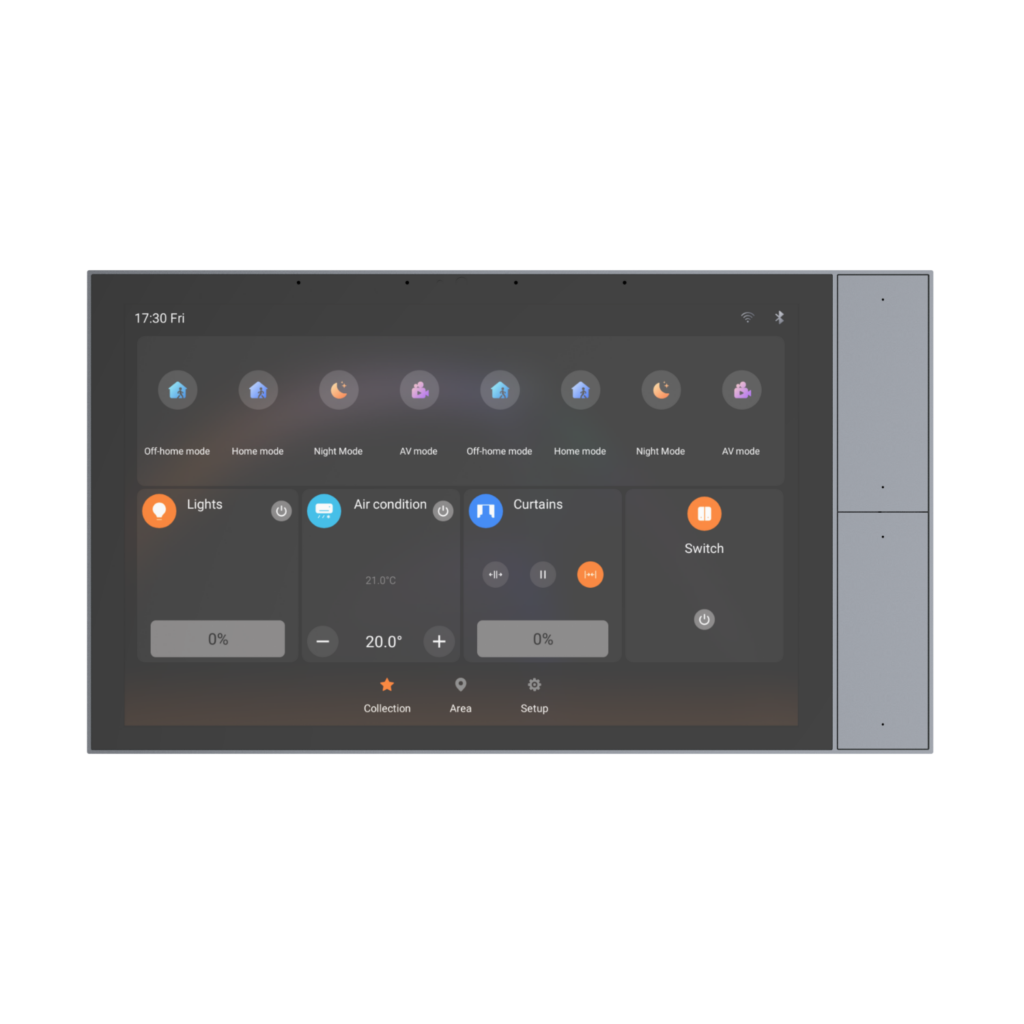
STANDARD KNX TOUCH PANEL
S9KE is a 10” wall-mounted KNX touch panel designed for residential and commercial building automation projects. Its larger display provides a broader visual interface for room control, while four side-mounted physical buttons offer quick access to frequently used functions.
A ready-to-use KNX panel with Smatek software and ETS configuration files.
Developing your own application and KNX stack? Explore the S9KE-TP platform.Software Platform
Configure up to 150 devices through ETS files across common room-control categories, including switch control, dimming lights, tunable white lights, RGB lighting, curtains, air conditioning, fresh-air systems and floor heating. S9KE also supports custom background images and local APK upload for selected third-party Android applications.
Designed for faster deployment without developing the KNX software layer from scratch.Key Specifications
Core hardware specifications for initial platform evaluation.
Resources
Explore Smatek’s standard touch panel platforms and product options.
Review the core hardware specifications and product information for S9KE.
Need drawings, API documents or additional technical files?
Request Technical FilesFAQ
S9KE is configured through ETS files, allowing the required devices and room-control functions to be set up according to the project requirements.
The current standard software supports up to 150 devices.
The standard software supports switch control, dimming lights, tunable white lights, RGB lighting, curtains, air conditioning, fresh-air systems and floor heating.
Yes. Users can scan the QR code in the panel’s App section and upload up to three third-party APK files from a mobile phone connected to the same local network. Each APK file must not exceed 100 MB. Please note that the panel does not include Google Mobile Services (GMS), and compatibility with third-party applications cannot be guaranteed.
Yes. The 10” S9KE standard KNX touch panel is available as a CE-marked and KNX-certified model. For private-label versions or project-specific adaptations, the applicable conformity-assessment and certification route should be evaluated according to the final product configuration.
Yes. S9KE can be supplied for private-label projects. Branding options can be evaluated according to the project requirements. For selected programs with defined requirements and volume plans, UI adaptation or further software development can also be evaluated based on the existing standard solution.
Related Products
Ready-to-Use KNX Control Panel
View Details
KNX TP Platform for Customer-Developed Wall-Mounted Interfaces
View DetailsShare your software environment, preferred installation method and hardware requirements. We will help identify the most practical platform direction for your project.